
Rename files
檔名轉換 converts file and folder names to Traditional or Simplified. Every change is listed in a preview first; nothing is renamed until you apply it.
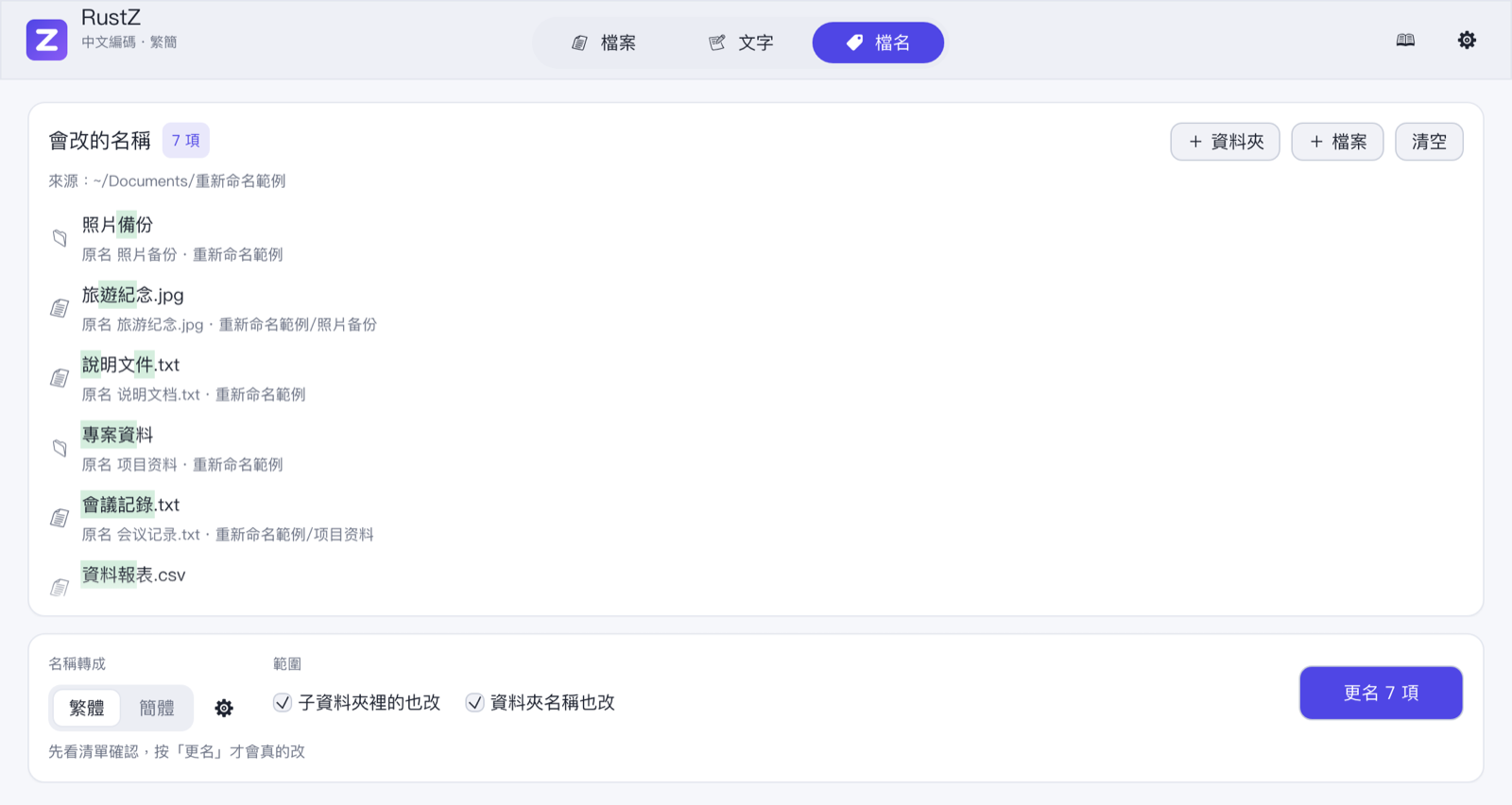
Steps
- Press + 選擇資料夾 (Choose folder) or + 選擇檔案 (Choose files), or drop folders and files on this page. You can add several.
- Choose the direction, 簡 → 繁 or 繁 → 簡.
- Adjust the options if needed:
- 包含子資料夾 (Include subfolders): also process everything inside subfolders.
- 也轉換資料夾名稱 (Rename folders too): rename the folders themselves, including the one you chose.
- Check the preview: each item shows "old name → new name" and where it is. Only names that would change are listed.
- Press 套用更名(N 項) (Apply, N items) at the bottom right.
Names are converted with the default engine and options from Settings. With Taiwan vocabulary on, for example, 说明文档.txt becomes 說明文件.txt.
Name clashes
If the new name already exists, or two items in the same folder would end up with the same name, the item is marked 名稱已存在 (name exists) and skipped when you apply. Everything else is renamed as usual.
Rename order
Renaming starts with the deepest paths and finishes with the top folders, so renaming a folder and the files inside it together never loses track of a file. Afterwards the preview refreshes and shows whatever is left — usually the clashes.
Try a small folder first
Renaming cannot be undone. The first time, try it on a small folder and make sure the result is what you expect.